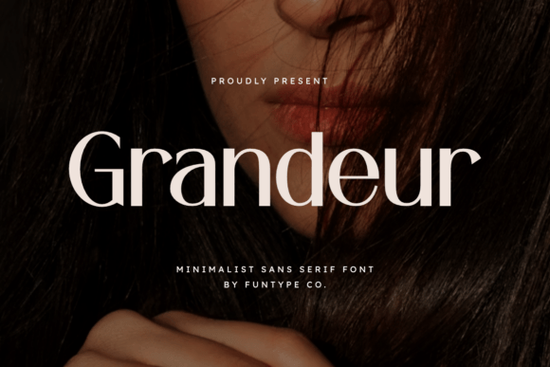
If you're looking for a bold, clean sans serif font that works just as well on a luxury fashion logo as it does on a print-on-demand t-shirt or digital ad banner, Grandeur Font is worth your attention. It’s not overly decorative or trendy instead, it leans into quiet confidence: strong letterforms, even spacing, and a refined minimalism that reads clearly at any size. Designers and small business owners who value precision over flair often find Grandeur fits naturally into branding systems where clarity and professionalism matter most.
When does Grandeur Font work best?
Think of Grandeur as your go-to for moments when the message needs to land without distraction. It shines in contexts where visual weight and readability are non-negotiable:
- Headlines and hero text especially on websites, social media banners, or email headers where you have seconds to communicate tone.
- Luxury or fashion branding its balanced proportions and solid structure lend themselves to high-end aesthetics without needing extra embellishment.
- Print-on-demand product mockups whether you’re designing mugs, posters, or tote bags, Grandeur holds up well in both large-scale and medium-sized applications.
- Minimalist logos and monograms since it’s a single-weight sans serif with no stylistic variations, it pairs cleanly with simple iconography or negative space.
It’s also practical: you get both OTF and TTF files, so whether you’re using Adobe Creative Cloud, Canva (with upload support), Affinity Designer, or even Cricut Design Space, compatibility isn’t a hurdle. No need to convert or troubleshoot just install and use.
How does Grandeur compare to other minimalist sans serifs?
Not all clean fonts behave the same way. Some feel too thin or lose impact at smaller sizes; others look stiff or overly geometric. Grandeur avoids those pitfalls by balancing openness with presence. Its x-height is generous, and its terminals are subtly tapered details that help it feel human, not mechanical.
If you’ve tried Homush Font, you’ll notice Grandeur has more visual authority in display settings. Compared to Breaking Font, it’s less playful and more grounded better suited for mature audiences or premium positioning. And unlike Things Font, which leans into friendly informality, Grandeur keeps a consistent, composed rhythm across letters.
For designers who like having options within a similar style family, Bouldy Font offers a bolder, slightly more condensed alternative useful if you need tighter fit in tight spaces. But if you want something that feels both timeless and quietly commanding, Grandeur Font remains a steady choice.
Who’s using Grandeur right now?
We’ve seen crafters use it for hand-lettered-style SVG cut files (paired with subtle shadows or outlines), small studios applying it to boutique packaging, and Etsy sellers building cohesive brand kits around it. One print-on-demand seller told us they switched from a free Google Font to Grandeur after noticing a 15% lift in click-throughs on Instagram ads not because the font “converted better,” but because it made their visuals feel more intentional and trustworthy.
That’s the quiet strength of this typeface: it doesn’t shout, but it doesn’t fade either. It supports your content instead of competing with it.
Where to use it and where to pause
Grandeur works well for short-form text: logos, headlines, quotes, product names, signage. It’s less ideal for long paragraphs or body copy its lack of multiple weights means you can’t easily create hierarchy with light, regular, and bold variants. For extended reading, pair it with a neutral, highly legible companion font like Inter or Lato.
Also keep in mind: because it’s a single-weight design, creative effects like faux-bold or condensed stretching will compromise its integrity. Stick to native sizing and spacing for best results.
You can see real-world examples and licensing details on Grandeur Font’s official page on Creative Fabrica.
Quick setup checklist before downloading
- ✅ Confirm your project calls for a bold, minimalist sans serif not a script, serif, or variable font.
- ✅ Check if you need multi-weight flexibility (if yes, Grandeur may not be the full solution).
- ✅ Make sure your software supports OTF/TTF most do, but some web-based tools require conversion first.
- ✅ Review the license: personal use is included, but commercial use (like selling POD items) requires the standard commercial license which is included with purchase.
Once installed, try setting a headline in all caps at 48–72pt then step back. If it feels clear, calm, and confident, you’ve found your match.
Get Started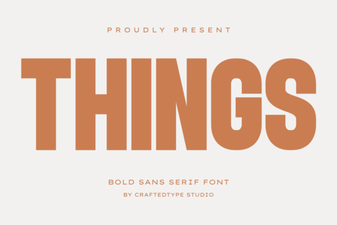 Crafting Projects with Things Font Design
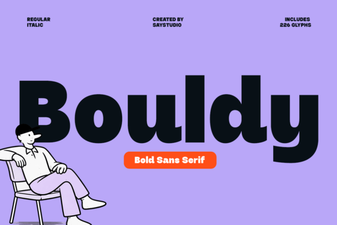 Bouldy Font for Designers: Modern Typography Toolkit
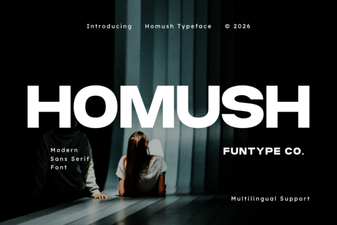 Homush Font: Creative Design Projects & Ideas
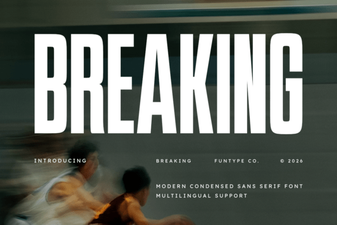 Breakthrough Font Design Concepts & Techniques
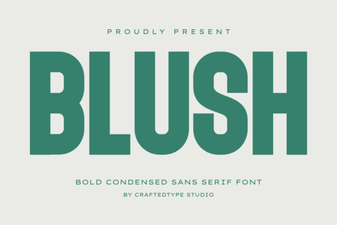 Discover Blush Font: Free Design Resource for Creative Projects
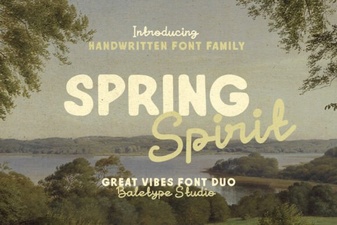 Bring Spring Spirit Font to Your Design Projects