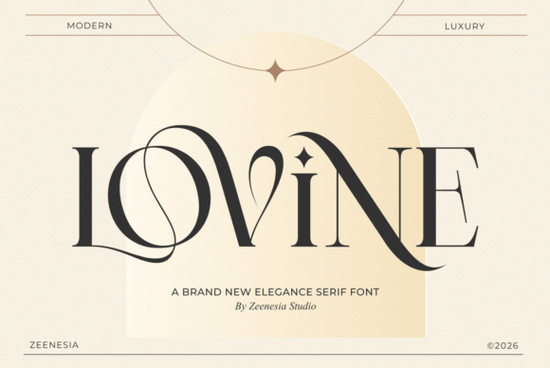
If you're looking for a serif font that feels both refined and quietly confident something that works just as well on a boutique wedding invitation as it does on a minimalist skincare label you’ll likely find Lovine Font fits naturally into your workflow. It’s not flashy or overly ornate, but it carries presence: clean high-contrast strokes, subtle curves, and letterforms that breathe with intention. Designed for clarity and quiet luxury, Lovine sits comfortably alongside other thoughtful serif fonts like The Paloma Font and Refined Society Font, but stands out for its graceful swashes and carefully considered alternates.
When does Lovine work best?
Lovine shines where tone matters more than trend especially in contexts where readers pause, even briefly, to absorb visual language. Think of it as the kind of typeface that helps a small-batch candle brand feel intentional, not incidental. It’s frequently used by:
- Print-on-demand sellers creating premium greeting cards or art prints
- Wedding stationery designers who want elegance without cliché
- Small businesses launching lifestyle or beauty products with artisanal positioning
- Crafters layering text over hand-drawn illustrations or textured backgrounds
- Bloggers and content creators designing Pinterest graphics or printable planners
Because it includes stylistic alternates and ligatures, you can adjust how formal or expressive the text feels without switching fonts. A single word like “Bloom” or “Studio” gains dimension with a swash capital, while body copy stays legible and calm. That flexibility makes it easier to maintain consistency across business cards, packaging, and social media banners.
How does it compare to other serif fonts on Creative Fabrica?
Lovine shares some DNA with Vintage Market Font both lean into classic serif structure but Lovine avoids rustic textures or distressed edges. It’s smoother, more polished, and built for crisp digital and offset printing. If you’ve tried Emerale Font and liked its delicate contrast but wanted something with stronger vertical rhythm and more open counters (the white space inside letters like ‘e’ or ‘a’), Lovine often becomes the next logical choice.
Unlike many modern serifs that push contrast to dramatic extremes, Lovine keeps its balance approachable. You won’t need advanced OpenType knowledge to use it well most design apps support basic ligatures and alternates out of the box. And because it’s a single-weight family (with matching italics), it avoids the complexity of multi-weight systems ideal if you prefer simplicity over scale.
What file formats and features are included?
The Lovine Font package comes with:
- OTF and TTF files (works in Canva, Adobe apps, Cricut Design Space, Silhouette Studio, and most desktop software)
- Uppercase and lowercase letters, numerals, punctuation, and multilingual support (including Western European accents)
- Standard and discretionary ligatures (like “fi”, “fl”, and elegant “Th” or “St” combinations)
- Swash capitals and alternate characters activated via OpenType features or manually selected from the glyph panel
- A quick-start PDF guide with usage tips and pairing suggestions
You don’t need a subscription to use it. Once purchased, it’s yours to install and use commercially no attribution required, no monthly fees. That’s especially helpful if you’re building a brand identity or producing physical goods like mugs, tote bags, or framed prints.
Real-world pairings that work well
Lovine pairs cleanly with understated sans-serifs like Montserrat, Lato, or Inter great for headings + body copy combos. For print projects, try setting Lovine headlines against a light, airy sans-serif paragraph. In digital layouts, it holds up well at smaller sizes when used sparingly say, for section titles or quote callouts.
It also complements other serif fonts in mood-based groupings. For example, using Lovine Font alongside The Paloma Font gives you range: one for refined headings, the other for warm, inviting subheads. Similarly, Refined Society Font offers a slightly bolder, more grounded contrast if you need hierarchy without switching categories.
Tip before downloading: Open the preview images on the product page and zoom in not just on the alphabet, but on sample words like “Elegant”, “Heritage”, or “Atelier”. Look at how the terminals (the ends of strokes) flow, how spacing feels between letters like “AV” or “To”, and whether the italics feel like a natural extension rather than an afterthought. That’s where Lovine’s care shows up most clearly.
Next step: Try setting three short phrases your business name, a tagline, and a product descriptor in Lovine using free tools like Canva or Google Fonts’ test area (upload the OTF first). See how it feels beside your current fonts. If it makes your message feel more settled, more considered even just a little you’ve probably found your next go-to serif.
Try It Free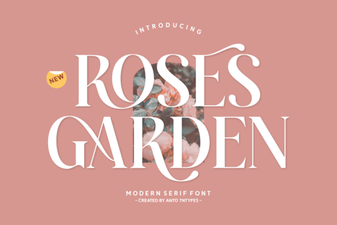 A Font for Designing Rose Garden Signs
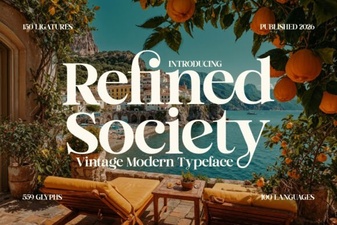 Refined Society Font: Elegant Typefaces for Modern Design
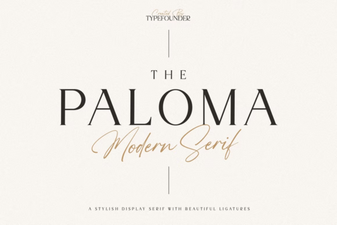 The Paloma Font for Creative Branding & Websites
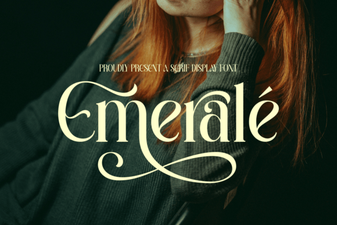 Emerale Font: Design Tips and Creative Uses
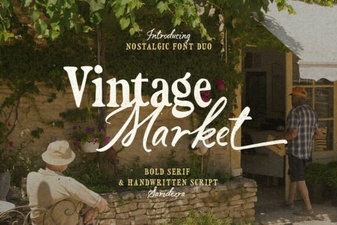 Retro Market Typography Ideas for Creators
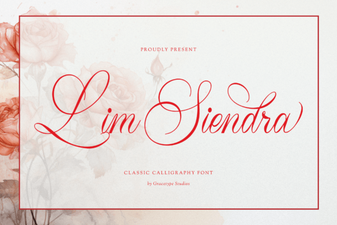 Lim Siendra Font for Creative Web Design Projects