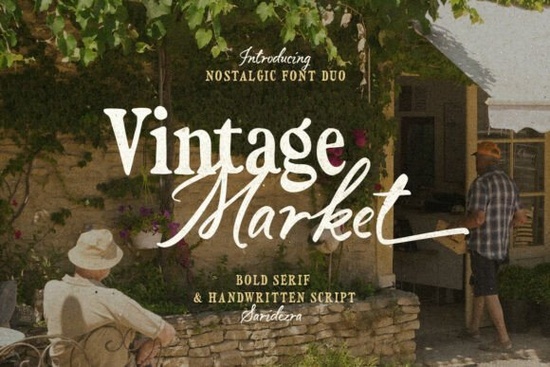
If you're looking for a font that brings authentic retro charm to posters, packaging, or small business branding without overcomplicating your workflow the Vintage Market Font is worth your attention. It’s a handcrafted font duo: one bold serif and one flowing handwritten script. Together, they’re designed to work well side by side not just stacked or layered, but meaningfully paired so you get consistent visual rhythm in logos, quotes, or product labels. You’ll notice it right away in the script’s ending alternates, which let you soften transitions between words or add subtle personality to short phrases.
When does Vintage Market Font fit best?
This isn’t a “one-size-fits-all” font but that’s its strength. It shines where warmth and character matter more than neutrality. Think café menus, artisan soap labels, wedding invites with a 1940s feel, or print-on-demand mugs and tote bags aimed at nostalgic buyers. Because both fonts support multiple languages including extended Latin characters it’s practical for small businesses serving diverse local communities or selling internationally on platforms like Etsy or Redbubble.
Unlike some vintage-style fonts that lean too decorative or hard to read at small sizes, Vintage Market balances legibility and texture. The serif holds weight and clarity even at 14pt, while the script stays graceful not cramped or overly flourished making it usable for body text in invitations or short social media graphics.
How do the two fonts work together?
You don’t have to use both every time but when you do, they complement each other intuitively:
- Serif for structure: Use the bold serif for headlines, shop names, or pricing anything that needs grounding and presence.
- Script for voice: Apply the handwritten script for taglines, ingredient lists, or personal notes (e.g., “Hand-poured in Portland” or “Est. 2018”).
- Ending alternates: These aren’t just stylistic extras they help avoid awkward letter collisions, especially in words ending in “y”, “g”, or “j”. Try typing “Bakery” or “Jazz” to see how the script naturally softens the exit.
It’s also beginner-friendly: no OpenType features to toggle manually unless you want to. Most design apps (Canva, Adobe Express, Affinity Designer) will show the alternates as separate glyphs, so you can pick and paste as needed no coding or advanced font management required.
What else fits this style?
If you’ve used The Paloma Font, you’ll recognize a similar balance of elegance and approachability but Vintage Market leans more rustic and grounded, less polished. For contrast, Lovine Font offers cleaner lines and tighter spacing, better suited for modern-minimal branding. If you love the handmade texture but want something floral and delicate, Roses Garden Font adds botanical softness. And if your project calls for refined, mid-century sophistication instead of country market charm, Refined Society Font delivers quiet confidence without fuss.
None of these replace Vintage Market they expand what you can do across different moods and markets. That’s why many crafters keep a few complementary duos on hand: one for cozy, one for crisp, one for classic.
Where can you use it right now?
You can install Vintage Market Font on Mac or Windows and use it in any desktop app (Photoshop, Illustrator, Cricut Design Space). For web use, Creative Fabrica provides WOFF files you’ll need to host them yourself or use a platform that supports custom fonts (like Shopify with theme code edits). It’s not web-safe out-of-the-box, so avoid using it in email headers unless you’re embedding images.
For print projects, it works smoothly with CMYK workflows and exports cleanly to PDF/X-4. Just double-check kerning in longer blocks of script text some combinations (like “To” or “We”) may benefit from slight manual adjustment, especially at larger sizes.
You can preview and license the font directly from Vintage Market Font on Creative Fabrica. It includes both OTF and TTF formats, plus a simple license that covers personal and commercial use including POD, physical products, and client work (no extra fees for resale).
Before you download: Check your software version older versions of Silhouette Studio or older Canva plans may not support alternate glyphs. If you plan to use the script’s ending alternates heavily, open the font in Font Book (Mac) or Character Map (Windows) first to browse available variants. Save a quick test file with your most common phrases (“Made With Love”, “Est. 2023”, “Small Batch”) to confirm spacing and flow before starting your main layout.
Explore Design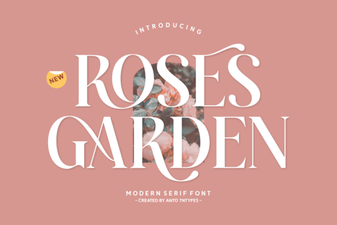 A Font for Designing Rose Garden Signs
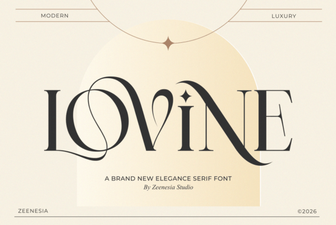 The Lovine Font for Modern Design Projects
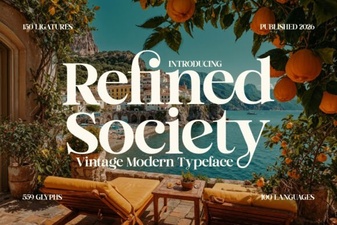 Refined Society Font: Elegant Typefaces for Modern Design
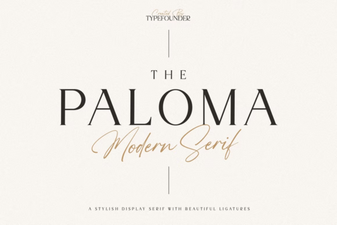 The Paloma Font for Creative Branding & Websites
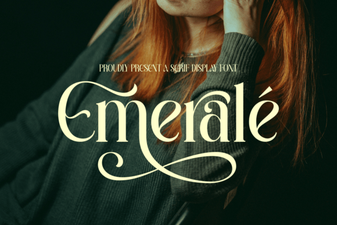 Emerale Font: Design Tips and Creative Uses
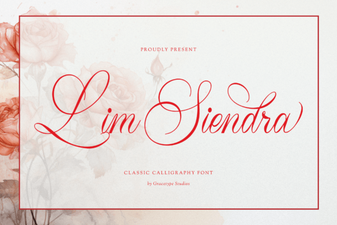 Lim Siendra Font for Creative Web Design Projects