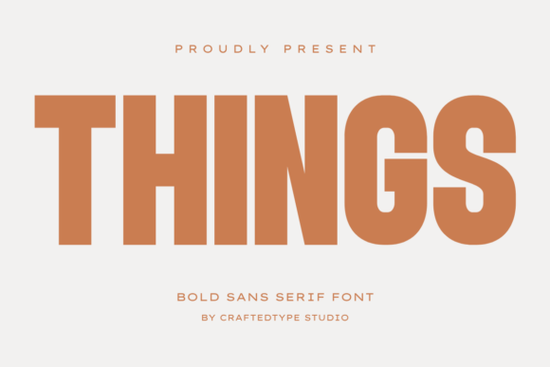
If you're looking for a clean, bold sans serif font that works just as well on a t-shirt design as it does in a modern logo or film title, Things Font is worth your attention. It’s not overly decorative or trendy just thoughtfully designed: tall letterforms, even spacing, and a quiet confidence in how it sits on the page or screen. Whether you’re making printable wall art, designing packaging for a small-batch product, or building a cohesive brand identity, this font delivers clarity without sacrificing style.
What makes Things Font different from other bold sans serifs?
Many bold fonts lean too heavy or lose legibility at smaller sizes but Things Font balances weight and openness. Its uppercase letters are especially strong, with generous x-height and subtle tapering on vertical strokes that keep things feeling crisp, not rigid. Lowercase characters maintain rhythm without being distracting, which helps when pairing it with body text or using it alone for impact.
It’s also fully PUA encoded, meaning special characters, alternates, and ligatures show up reliably in design apps like Adobe Illustrator, Canva, and Affinity Designer no hunting through glyph panels or guessing which key does what. You get both OTF and TTF files, so compatibility isn’t a concern whether you’re on Mac, Windows, or using web-based tools.
Where does Things Font work best?
This font shines where visual clarity meets intention like:
- Print-on-demand products: Think oversized quotes on mugs, minimalist slogans on tote bags, or bold titles on poster prints. Its spacing holds up well even when scaled down for small labels or tags.
- Branding & packaging: Small businesses launching a new line of candles, skincare, or stationery often need something that feels intentional but not corporate. Things fits neatly between friendly and professional.
- Film & video titles: If you’re editing short films, reels, or YouTube intros, its tall proportions read cleanly against motion backgrounds even in quick cuts.
- Craft projects: Vinyl cutters and Cricut users appreciate how cleanly its outlines separate, and its consistent stroke weight helps avoid thin lines that might tear or mis-cut.
How does it compare to similar fonts on Creative Fabrica?
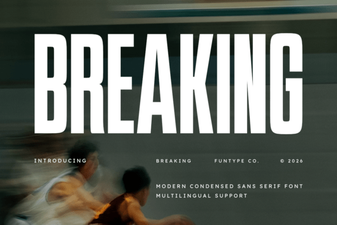
If you’ve used Bouldy Font, you’ll notice Things has less geometric rigidity and more organic flow especially in curves and terminals. For designers who love Breaking Font’s energy but want something calmer, Things offers the same bold presence without the high-contrast flair. It shares some of the warmth of Spring Spirit Font, but with tighter spacing and stronger typographic structure. And unlike Blush Font, which leans soft and rounded, Things keeps its edges clean and confident ideal when you want approachability and authority.
You can also explore Things Font directly on Creative Fabrica to see live previews, licensing details, and user-uploaded mockups.
Pairing tips for real-world use
Things Font doesn’t need much help to stand out but thoughtful pairing makes it go further:
- With a light, neutral sans serif (like Inter or Lato) for headings + body copy combos in branding kits or social media templates.
- Over textured backgrounds: Its even weight handles linen, concrete, or paper scans better than ultra-thin or ultra-bold alternatives.
- In monochrome layouts: Works beautifully in single-color prints no need for gradients or shadows to add dimension.
- With hand-drawn elements: Its clean lines create nice contrast next to sketchy illustrations or watercolor accents common in craft fair signage or Etsy shop banners.
One thing to keep in mind: because it’s bold and tall, avoid stacking multiple lines of all-caps Things at very small sizes (under 16pt in print, under 20px on screen). It reads best when given room to breathe so use generous line height and margins in layouts.
Ready to try it?
Before downloading or licensing Things Font, ask yourself:
- Do I need a versatile bold font that works across physical and digital formats?
- Will this be used where readability at different sizes matters like product labels or social thumbnails?
- Am I pairing it with other fonts or elements? If yes, does it complement rather than compete?
- Do I have access to software that supports PUA-encoded fonts? (Most modern design tools do but double-check if you’re using older versions.)
If you answered “yes” to most of those, Things Font is likely a solid fit not as a one-size-fits-all solution, but as a reliable, well-built tool in your creative toolkit.
Learn More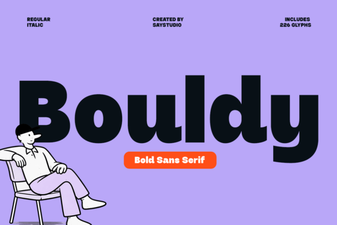 Bouldy Font for Designers: Modern Typography Toolkit
 Homush Font: Creative Design Projects & Ideas
 Breakthrough Font Design Concepts & Techniques
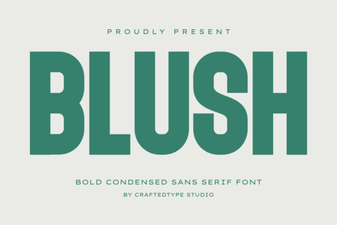 Discover Blush Font: Free Design Resource for Creative Projects
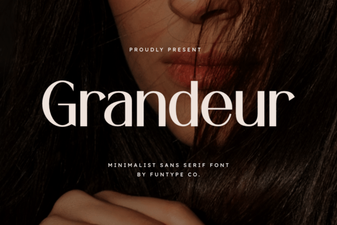 Grandeur Font: Creative Applications for Design Projects
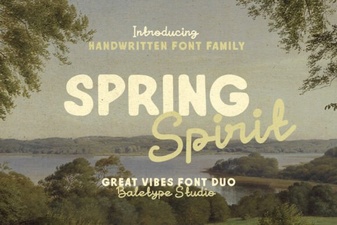 Bring Spring Spirit Font to Your Design Projects